Vocal practice that saves your setup

Stop rebuilding the same key, tempo, and loop.

PitchLab helps singers turn one song into a practice setup they can reopen instantly: the right key, the right speed, and the phrase that needs work.

Practice with a preset and clip active

Practice with a preset and clip active
The final practice state keeps the phrase and setup together.
Your own musicSaved key + tempoFocused phrase loops

How it works

From song to repeatable practice in three steps.

Start with one track, shape the rehearsal setup, then come back to the hard part without hunting for it again.

01

Add one song

Import a file, paste an MP3 link, or try the sample song so PitchLab has a real track to practice with.

Start with one song
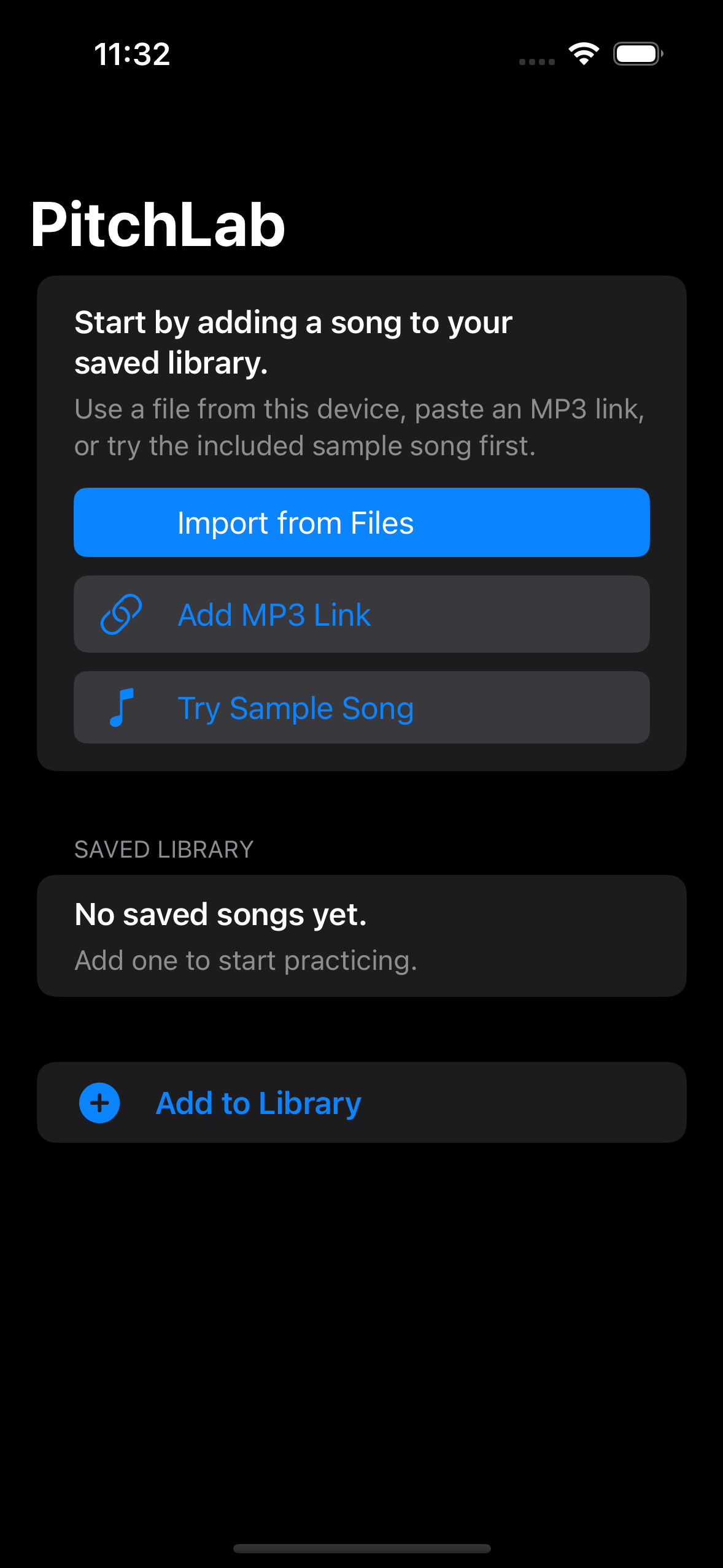
Start with one song
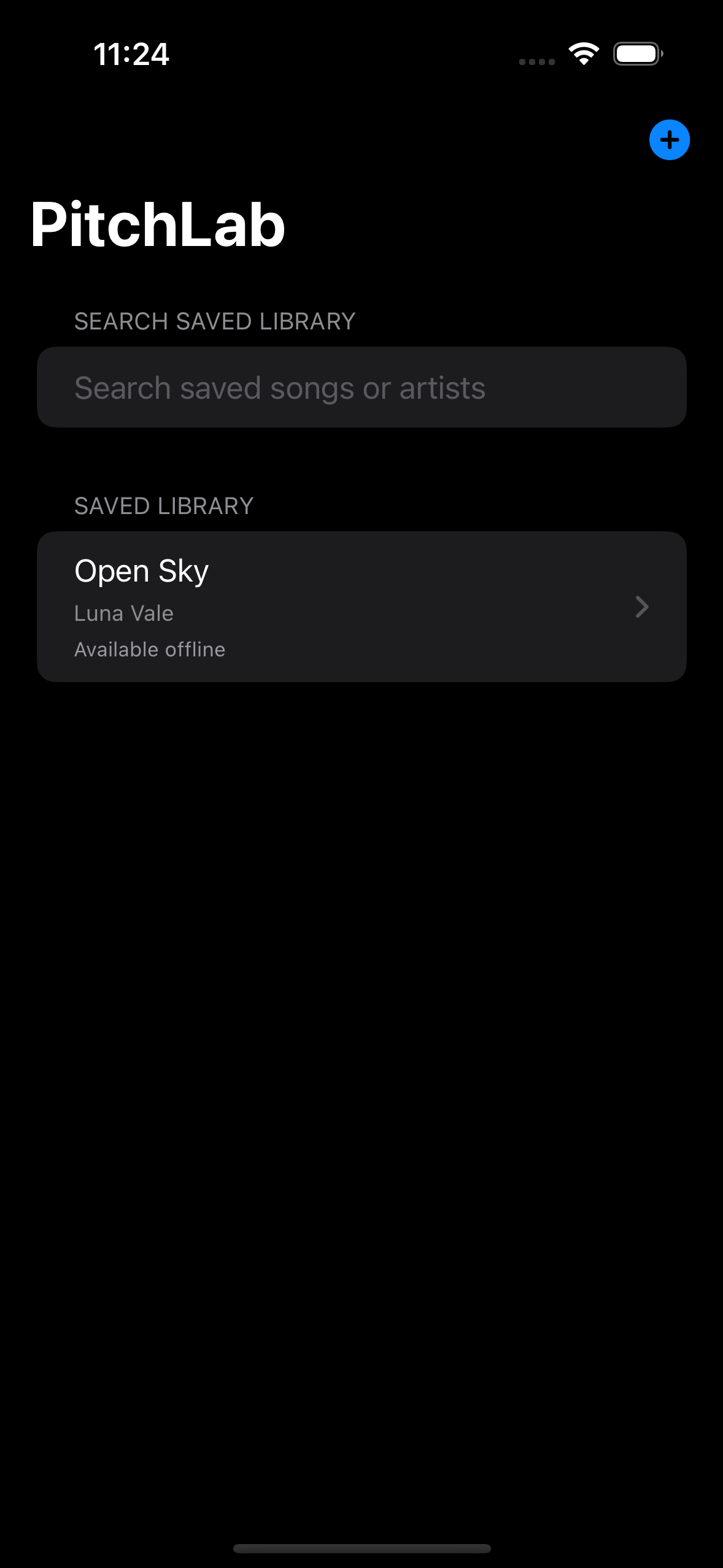
The first-run library focuses on adding a song before any optional source setup.
02

Find the key and speed that work

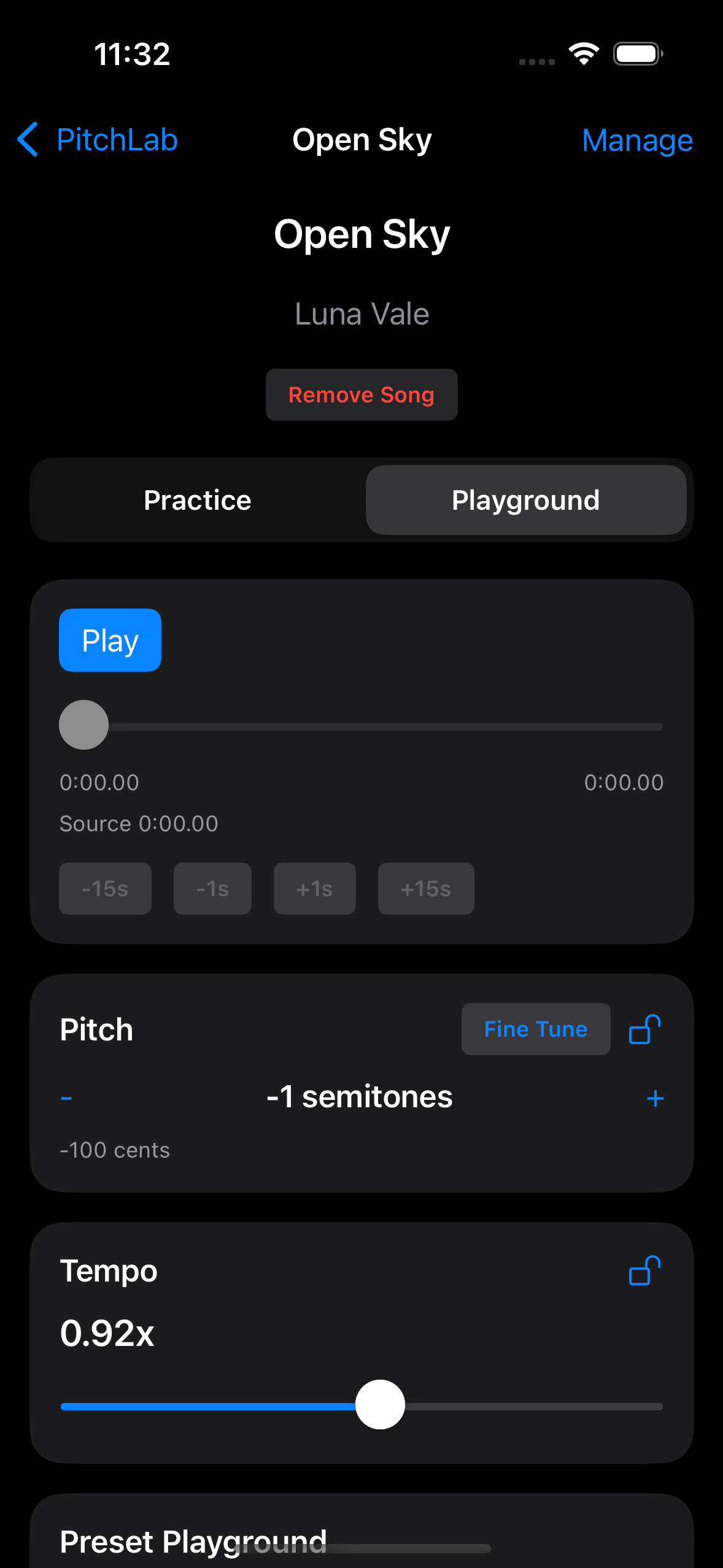
Use Playground to adjust pitch and tempo until the phrase fits the way you need to rehearse it.

Build a practice setup

Build a practice setup
Playground makes pitch and tempo adjustments visible before you save them.
03

Save the phrase and setup together

Keep the clip and preset active together so the next session starts at the exact part you need.

Practice with a preset and clip active
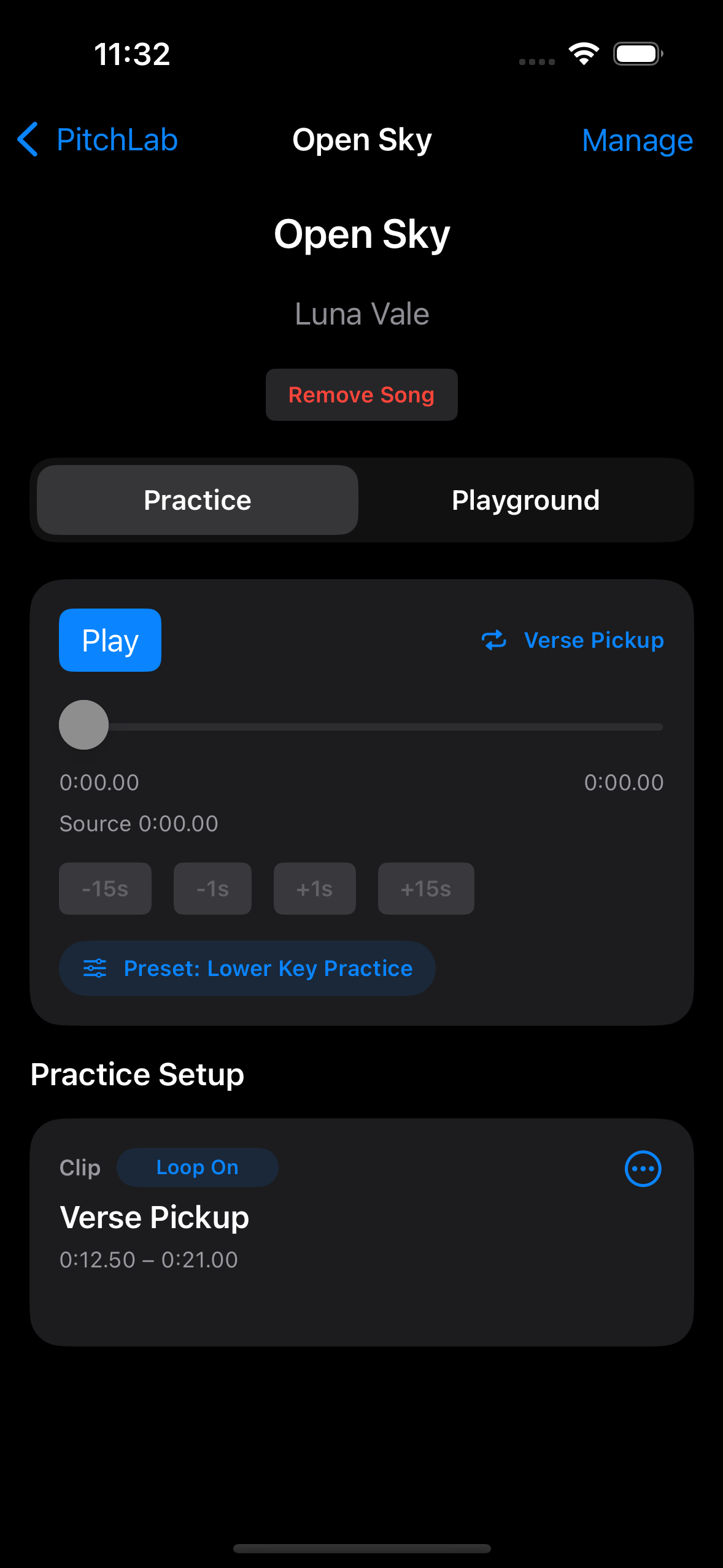
Practice with a preset and clip active
The final practice state keeps the phrase and setup together.

What stays ready

Save the setup once. Reopen the practice state later.

Presets and clips work together so the same vocal problem is ready the next time you practice.

Presets

Save the key and tempo move.

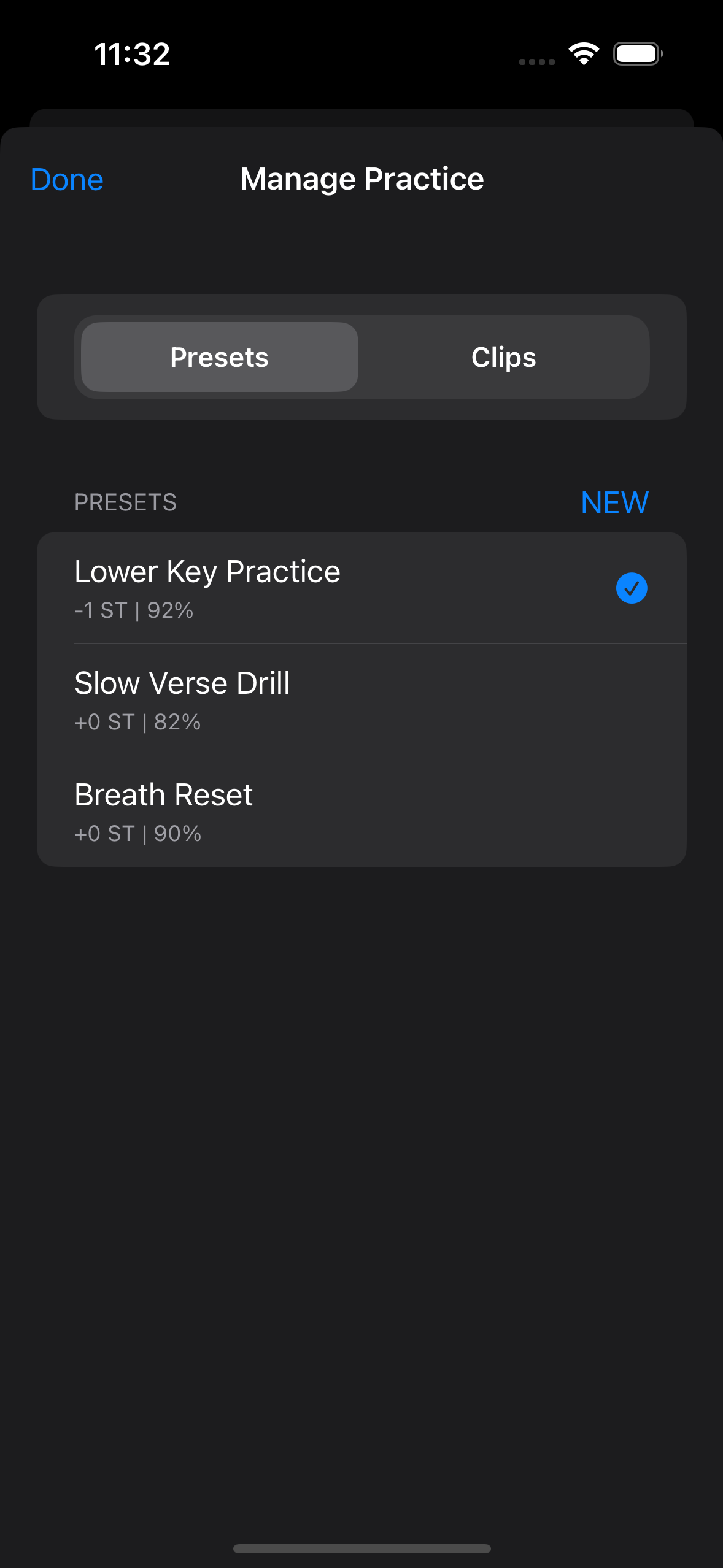
A preset keeps the rehearsal conditions that made the song workable, from a lower warm-up key to a slower drill tempo.

  • Keep a lower key ready for warm-up
  • Store a slower version for repetition
  • Reapply the setup without rebuilding it

Reusable presets

Reusable presets
Preset names stay paired with readable pitch and tempo summaries.

Clips

Save the line that needs repetition.

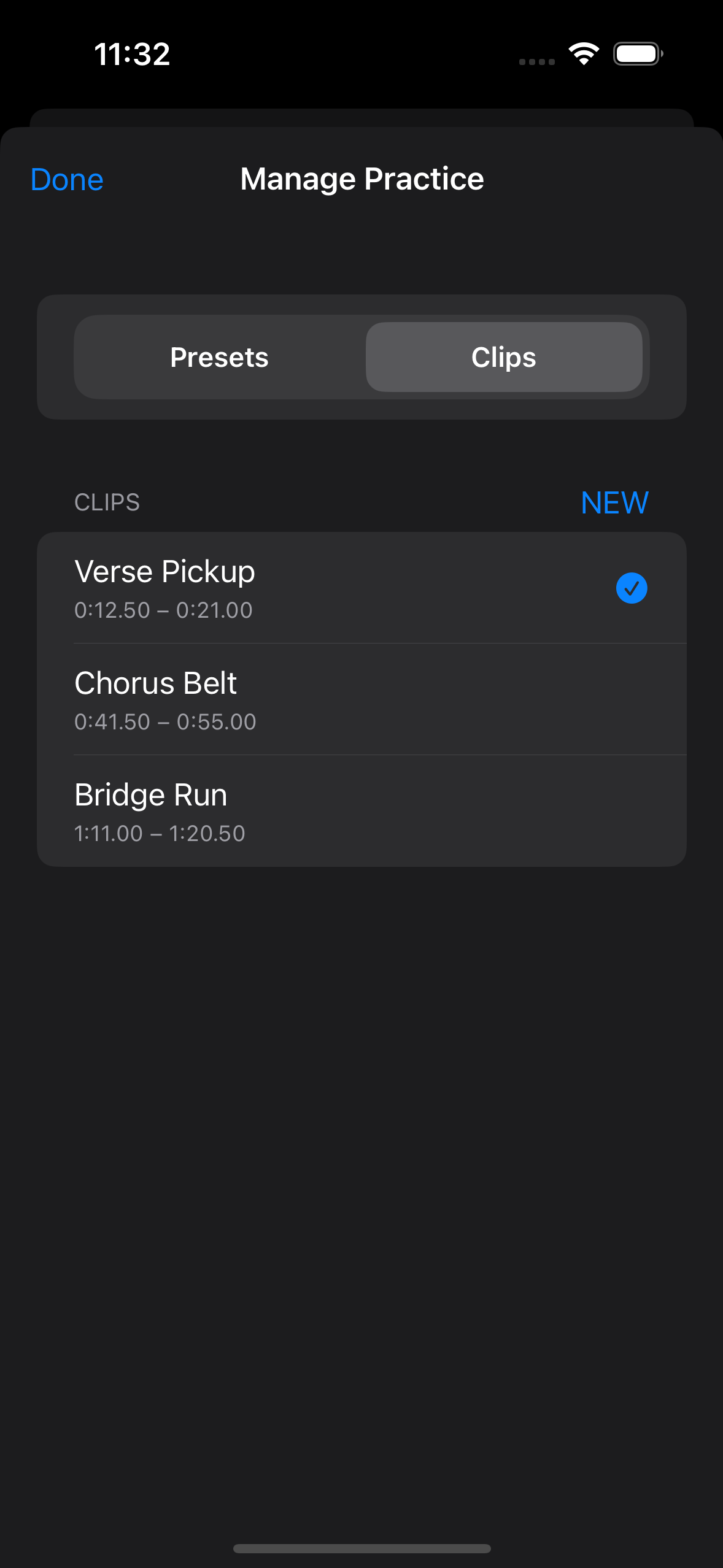
A clip keeps the exact phrase in reach, so a hard entrance, belt, or run is ready without scrubbing around the track.

  • Save the phrase boundary once
  • Loop the part that needs work
  • Pair it with the matching preset

Focused clips

Focused clips
Named clips and visible time boundaries keep phrase work explicit.

Local-first trust

Use your own music. Keep practice dependable.

Files stay primary, MP3 links and Navidrome stay optional, and PitchLab keeps library problems visible instead of hiding them.

Supported source

Files import

Bring audio into app-managed local storage and practice from the on-device library.

  • No account required
  • No backend setup required
  • Library state stays on-device

Supported source

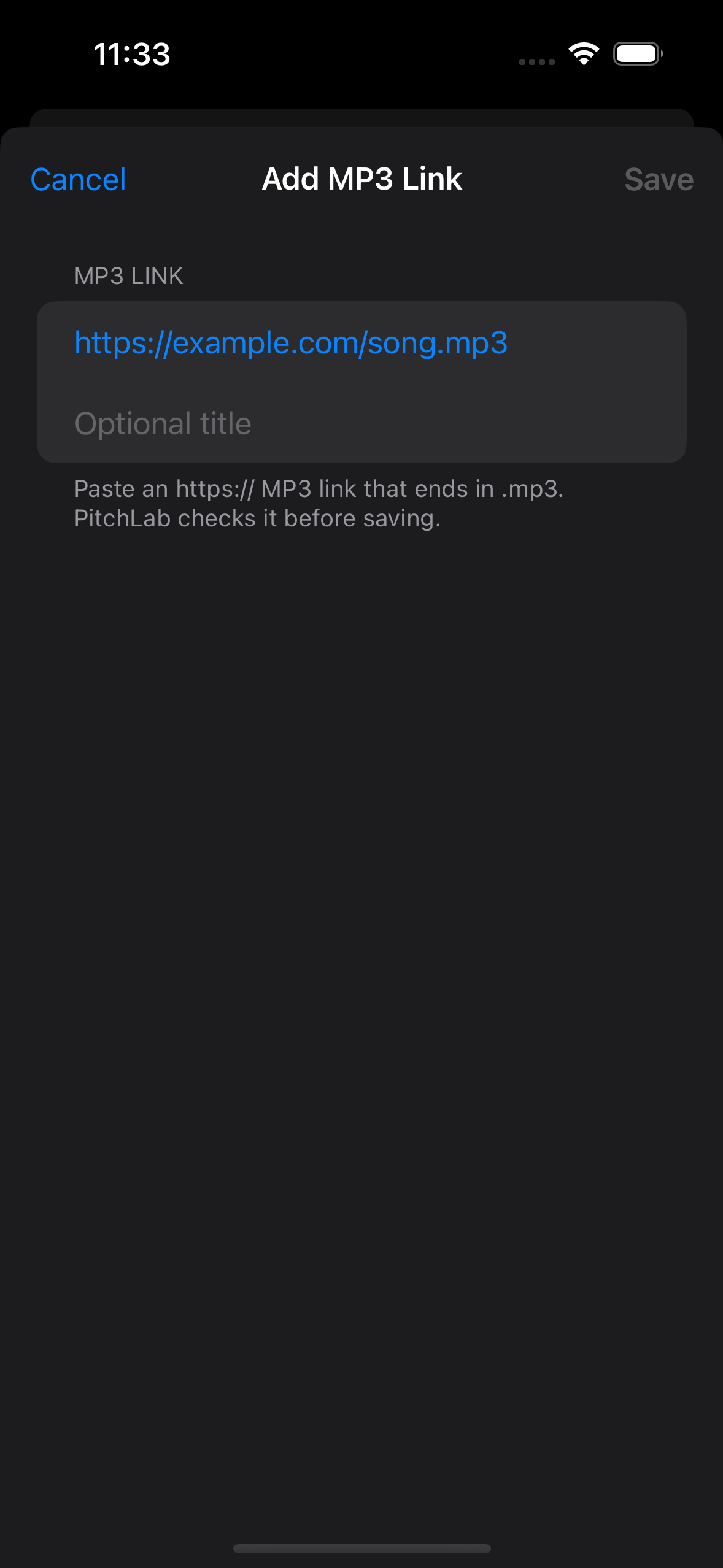
Add MP3 Link

Paste a direct MP3 URL when a lightweight remote source is enough for the song you want to practice.

  • Explicit add flow
  • No bundled song catalog
  • Fits the same practice loop

Supported source

Navidrome

Connect an existing Navidrome server when you already use one for your music library.

  • Optional source
  • Existing server only
  • Adds tracks into practice
Visit Navidrome

Reliability

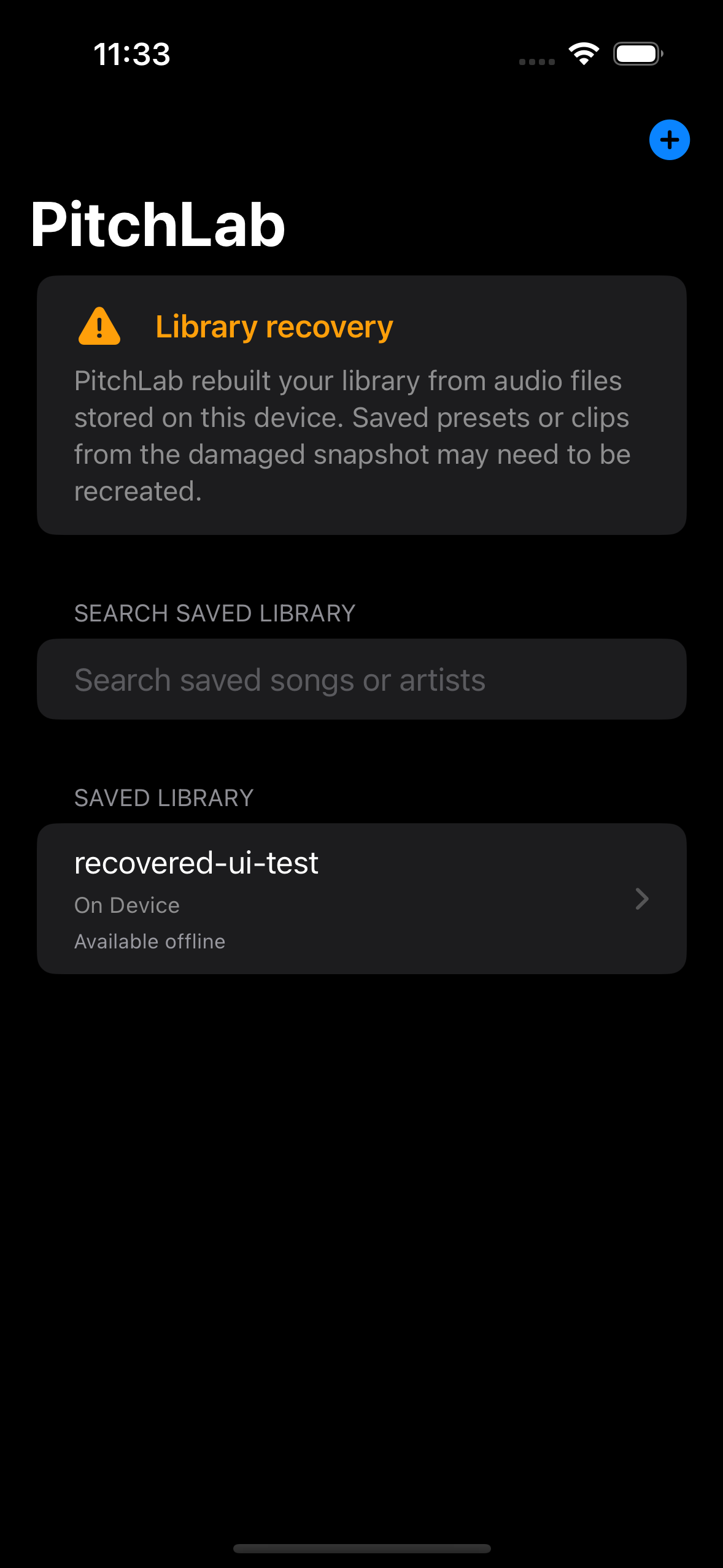
Recovery is visible when the library needs attention.

  • Saved-library recovery appears when a snapshot needs repair.
  • Missing local files stay visible so you know what to re-import.
  • Optional source trouble does not break the on-device library.
Files import into your library
Files import into your libraryFiles import lands in the same searchable device-local library you rehearse from.
Add MP3 Link flow
Add MP3 Link flowAn MP3 link can be added without turning remote links into the main model.
Library recovery banner
Library recovery bannerPitchLab calls out a damaged snapshot before you keep practicing.